Getting Started
Launching
Launch from your application menu or run:
ctfl
CTFL starts as a system tray icon.
Basic interactions
- Left-click the tray icon to toggle the usage popup
- Right-click for the context menu (refresh, settings, check for updates, quit)
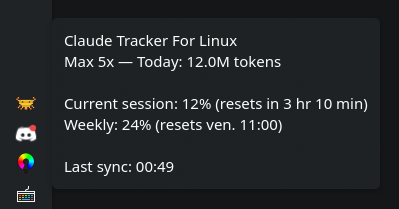
- Hover over the icon to see a quick summary in the tooltip
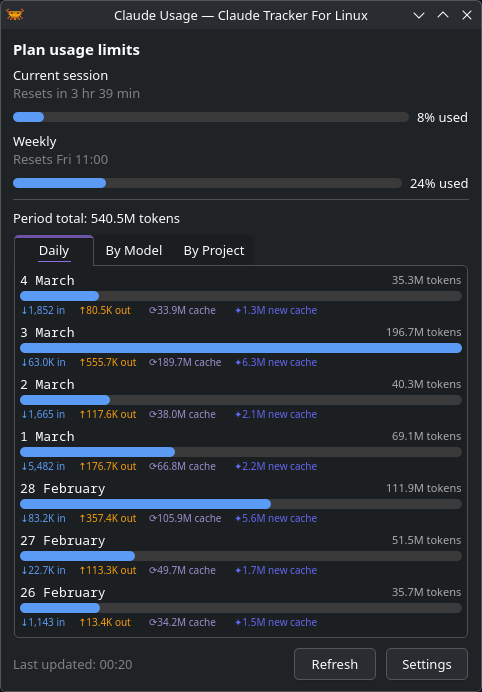
Usage popup
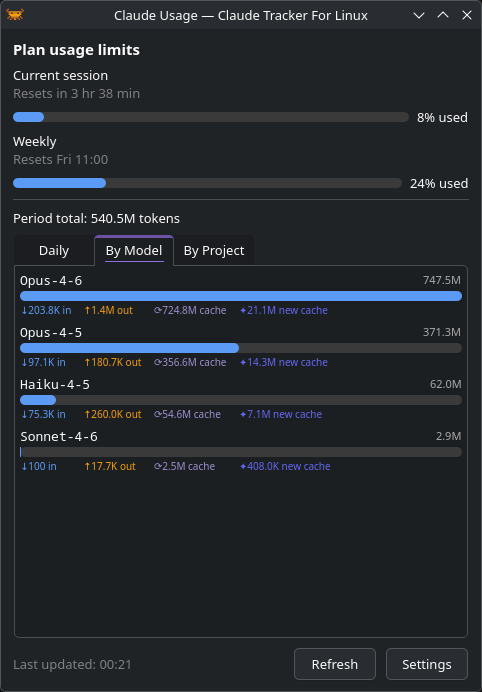
The popup shows your token usage in several views:
- Daily — bar chart of tokens per day
- Models — breakdown by Claude model
Next steps
- Configure data sources to choose where CTFL reads usage data
- Customize settings to tailor the app to your workflow